

With the latest updates to Remote Mouse for iOS (5.333) and Android (5.319), you can now see more of what’s happening on your computer, right from your phone.
Your Computer at a Glance
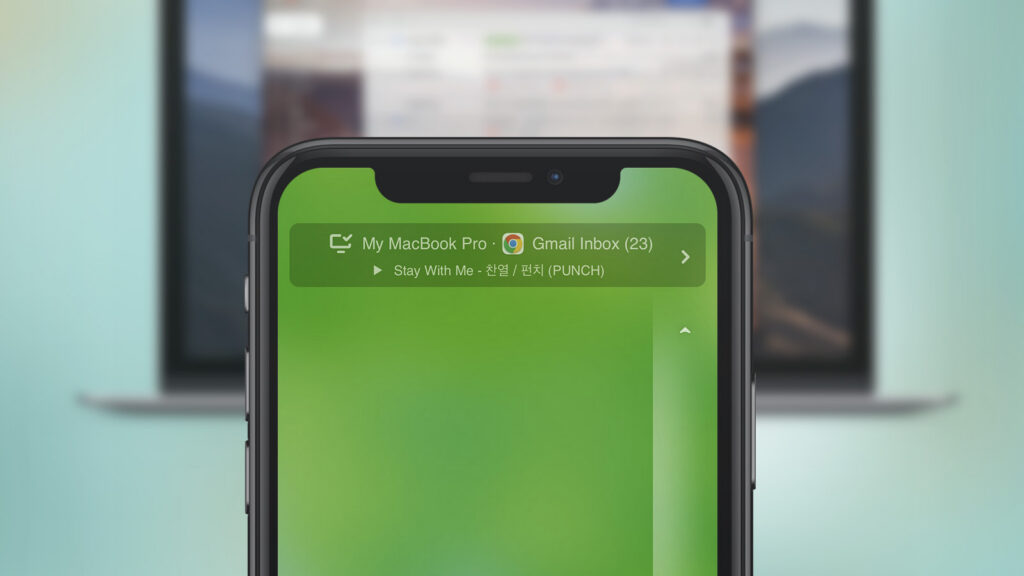
The Connection Bar now displays the active app, window title, and currently playing media, giving you a clearer picture of what your computer is doing.
You can see which app and window you’re currently working in. For example, if you have multiple tabs open in Chrome, you can easily see which tab is currently active.
Meanwhile, music or videos can keep playing in the background while you’re using another window on your computer. The Connection Bar shows what’s playing, and you can pause or resume playback from the Media Remote panel without bringing the music or video to the foreground.
Get the Full Experience on Mac
This feature is now available on Mac with Remote Mouse Helper 3.516 or later, using the Direct Download (.dmg) version from our website.
Due to Mac App Store restrictions, the App Store version of Remote Mouse Helper doesn’t support these additional features.
Already using the Mac App Store version? We recommend switching to the Direct Download version to enjoy the latest features. Simply uninstall the App Store version and install the latest Mac Helper from our website.
Both versions support the core remote control features, so there’s no need to switch if you’re happy with your current setup.
Coming Soon to Windows and Linux
We’re working to bring Computer Activity to Windows and Linux as soon as possible. Stay tuned for future updates!